



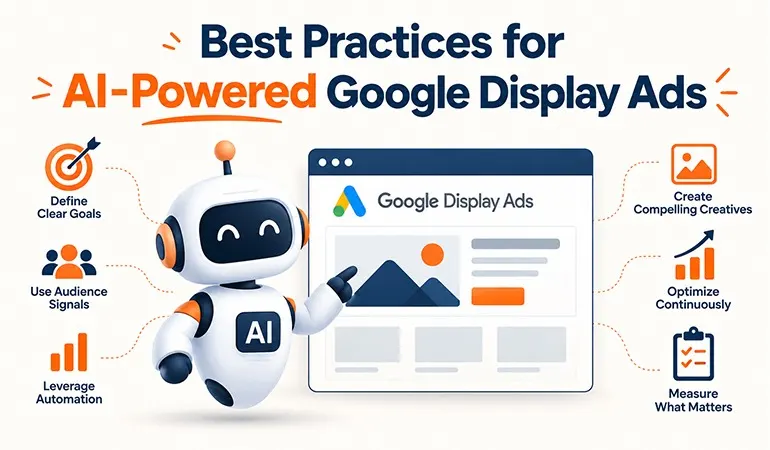
Google Display Ads have changed significantly with the growing use of artificial intelligence. Instead of relying entirely on manual targeting, bidding & creative selection, Google Ads now uses AI to evaluate signals and adjust campaigns according to the advertiser’s objective.
Google’s current Display campaigns use AI across areas such as Smart Bidding, optimized targeting & responsive display ads. Google AI can also select combinations of uploaded headlines, descriptions, images, logos & videos based on available ad placements.
For businesses working with Digitech Media Network, understanding how to guide these automated systems is important. AI can process large amounts of data quickly, but campaign performance still depends heavily on the quality of the inputs, conversion data, creative assets & marketing strategy.
1. Start With a Clear Campaign Objective
AI needs a meaningful goal to optimize toward. Before launching a Display campaign, decide whether the primary objective is leads, sales, website traffic or awareness.
A campaign designed to generate leads should not be judged primarily by impressions. Similarly, an awareness campaign should not be evaluated using the same expectations as a direct-response campaign.
Google recommends aligning the campaign goal, conversion tracking, bidding strategy, audience, creative & measurement approach before launching.
2. Set Up Accurate Conversion Tracking
This is one of the most important practices for AI-powered advertising.
If Google receives poor conversion data, automated bidding has less reliable information for deciding which auctions are valuable.
Before spending heavily, verify:
• Lead form submissions
• Purchases
• Phone calls
• Important website actions
• Revenue or conversion value where applicable
• Google Ads and Analytics reporting
Test conversions before scaling the campaign. Google specifically recommends regularly checking conversion tracking and confirming that conversions are being registered correctly.
3. Give AI Strong Audience Signals
Optimized targeting allows Google AI to look beyond manually selected audience segments and find additional users who may be likely to convert.
Audience segments, keywords & first-party data can be used as signals. They help provide context about the type of customer the campaign is trying to reach.
For example, a B2B software company could provide relevant audience signals around business software, CRM systems, business owners & previous website visitors.
The important point is to treat audience signals as guidance rather than assuming they will always restrict delivery to exactly those users.
4. Build a Strong Responsive Display Ad
AI cannot rescue weak creative assets.
Google recommends providing a broad range of assets so its systems have enough material to test different combinations. Current Google guidance suggests using at least five images, two logos, five headlines, five descriptions & a video where appropriate.
Your assets should cover different customer motivations.
Consider headlines around:
• The problem
• The benefit
• The product
• Trust
• Convenience
• A specific offer
Descriptions should explain the value clearly without making exaggerated claims.
Use High-Quality Visual Assets
Images are especially important in Display advertising. Google recommends clear, high-quality imagery and advises against blurry images, excessive filters, collages, misleading buttons & excessive text overlays.
Use visuals that make the product or service immediately understandable.
For a digital marketing company, for example, an image showing analytics, advertising results or a professional marketing environment may communicate more effectively than a generic stock photograph.
5. Let Smart Bidding Work With Enough Data
Smart Bidding uses Google AI to adjust bids according to the likelihood of achieving conversion or conversion-value goals.
Avoid making major decisions based on a single day or a handful of conversions. Automated systems need performance data to make useful decisions.
Google also advises advertisers not to focus too narrowly on individual ad groups or very short periods when evaluating Smart Bidding performance.
Give the campaign sufficient time to collect meaningful data before making major changes.
6. Avoid Constant Creative Changes
Frequent creative replacement can interfere with performance history.
When all existing assets are replaced at once, the system loses historical information associated with those assets. Google recommends gradually introducing new creative assets instead of replacing everything simultaneously.
A better process is:
• Identify weak assets
• Introduce new variations
• Keep useful performers active
• Compare performance over a reasonable period
• Remove poor performers gradually
This gives the automated system more stable information to work with.
7. Control Where Your Ads Can Appear
Automation does not mean abandoning campaign controls.
Use location and language targeting, content exclusions, frequency controls & other available settings when they are relevant to your campaign. Google provides these options for advertisers who need additional control over Display delivery.
This is particularly important for businesses operating in specific cities or serving a defined customer segment.
8. Watch Quality, Not Just Clicks
A high click-through rate does not automatically mean a successful Display campaign.
Review:
• Cost per lead
• Conversion rate
• Cost per acquisition
• Conversion value
• Return on ad spend
• Lead quality
• Placement performance
• Frequency
• Engagement after the click
For a service business, ten qualified enquiries may be more valuable than hundreds of inexpensive clicks.
AI should therefore be judged by business outcomes rather than surface-level traffic numbers.
Use Case 1: Local Digital Marketing Agency
Imagine a digital marketing agency wants enquiries from businesses looking for SEO, Google Ads & social media services.
The campaign can use:
• Website visitor data
• Relevant audience signals
• Location targeting
• Responsive Display Ads
• Lead conversion tracking
• Smart Bidding
Instead of manually identifying every potential customer, optimized targeting can help discover additional users who show signals associated with likely conversion.
Digitech Media Network could then assess the campaign based on qualified enquiries and cost per lead rather than simply measuring clicks.
Use Case 2: E-Commerce Business
An online fashion store wants to bring previous visitors back to its website while also finding new customers.
The campaign can combine strong product imagery, clear promotional messaging, relevant audience signals, conversion tracking & automated bidding.
AI can then help identify users and auction opportunities that are more likely to contribute to the selected conversion goal.
The creative should still make the product, price advantage or offer easy to understand within seconds.
Case Study 1: Bloomberg Media
Google's Display guidance highlights Bloomberg Media as an example of the benefits of responsive display advertising.
After adopting responsive display ads, Bloomberg Media reported an 8% reduction in cost per action and an 81% reduction in cost per site visit.
The lesson is straightforward. Giving Google's systems a useful collection of creative assets can allow automated combinations to find opportunities that may be missed when relying on a limited set of static creatives.
Case Study 2: Responsive and Uploaded Display Ads
Google reports that advertisers using both responsive display ads and uploaded image ads saw, on average, 50% more conversions at a similar CPA compared with image ads alone. Google also reports that responsive ads with multiple headlines, descriptions & images generated an average 10% increase in conversions at the same CPA compared with a single set of assets.
The practical takeaway is to give automation enough creative variety while retaining suitable control over important brand assets.
Common Mistakes to Avoid
Even sophisticated AI features cannot compensate for poor campaign fundamentals.
Avoid:
• Launching without conversion tracking
• Using weak or repetitive images
• Providing very few creative assets
• Changing all creatives every week
• Setting unrealistic CPA or ROAS targets
• Judging performance after very short periods
• Optimizing only for clicks
• Ignoring lead quality
• Allowing irrelevant traffic without reviewing exclusions
• Making several major changes simultaneously
A structured testing process makes it easier to understand what is actually influencing results.
How Digitech Media Network Can Approach AI-Powered Display Advertising
A practical AI-powered Display strategy should combine Google's automation with human campaign planning.
The process can include:
• Define the business objective.
• Configure and test conversion tracking.
• Build relevant audience signals.
• Prepare varied creative assets.
• Select an appropriate bidding strategy.
• Launch with controlled targeting and budget.
• Monitor conversion and lead quality.
• Introduce creative changes gradually.
• Review performance over meaningful periods.
• Scale only after the campaign demonstrates consistent results.
This approach allows AI to handle complex auction and delivery decisions while marketers remain responsible for strategy, messaging, measurement & business outcomes.
FAQs
Google uses AI across several Display campaign functions, including Smart Bidding, optimized targeting & responsive creative combinations.
Responsive ads provide Google with multiple assets that can be combined and adapted to available placements. Google reports stronger average conversion performance when responsive and uploaded image ads are used together compared with image ads alone.
Google currently recommends at least five images, two logos, five headlines, five descriptions & a video for responsive Display Ads where appropriate.
Avoid replacing every creative at once. Gradual changes help preserve performance history and give Google's automated bidding systems more stable data.
Focus on conversions, cost per acquisition, conversion value, ROAS where applicable & lead quality. CTR and impressions are useful diagnostic metrics, but they should not replace business-focused performance measures.
